

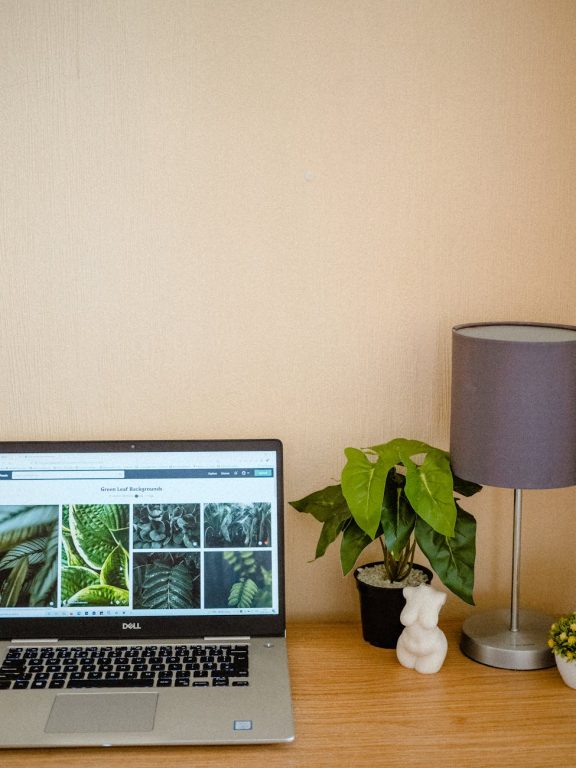
Creating a cozy and functional home workspace is essential for anyone working remotely or managing tasks from home. A well-designed area can boost your productivity, reduce stress, and make daily work routines more enjoyable. Whether you have a dedicated room or just a corner in your living space, thoughtful planning can transform any spot into a comfortable and efficient workspace.
In this post, we will explore practical tips to help you set up a home workspace that suits your needs and style.
1. Choose the Right Location
Finding the perfect spot for your workspace is the first step. Consider these factors:
– Natural Light: Select a space near a window to benefit from natural daylight. It helps reduce eye strain and improves mood.
– Quiet Environment: A peaceful area, away from household noise and distractions, supports concentration.
– Space Availability: Make sure there’s enough room for your desk, chair, and any necessary equipment without feeling cramped.
If space is limited, even a small nook can be turned into a productive corner with clever organization.
2. Invest in a Comfortable Chair and Desk
Comfort is key when it comes to long hours of working from home. Choosing the right furniture can prevent discomfort and physical strain.
– Ergonomic Chair: Look for chairs with adjustable height, lumbar support, and cushioned seating.
– Desk Height: Your desk should allow your forearms to rest parallel to the floor when typing or writing.
– Space for Accessories: Ensure your desk has enough surface area for your computer, notebooks, and other essentials.
Don’t hesitate to test out chairs or desks before buying if possible, or read reviews that mention comfort for extended use.
3. Optimize Lighting
Proper lighting reduces eye fatigue and creates a welcoming atmosphere.
– Natural Lighting: As mentioned, position your workspace near windows.
– Task Lighting: Use desk lamps with adjustable brightness to provide focused light on your work area.
– Avoid Glare: Angle your computer screen and lamps to minimize reflections, which can cause discomfort.
Soft, warm light sources tend to create a cozy feel, while bright white lights are better for alertness.
4. Personalize Your Space
Adding personal touches makes your workspace inviting and inspiring.
– Colors: Choose calming or motivating colors for your decor, such as soft blues, greens, or warm neutrals.
– Plants: Small indoor plants improve air quality and add life to your workspace.
– Artwork and Photos: Display items that make you happy or creatively stimulate your mind.
Avoid clutter by selecting a few meaningful items rather than overcrowding the space.
5. Organize Efficiently
A tidy workspace helps maintain focus and efficiency.
– Storage Solutions: Use shelves, drawers, or organizers to keep supplies within reach but out of sight.
– Cable Management: Use clips or cable organizers to prevent tangling and keep your desk neat.
– Daily Declutter: Spend a few minutes at the end of each day tidying your area to start fresh the next morning.
Digital organization is also essential. Organize your computer files and emails regularly to reduce stress.
6. Equip Your Workspace with Essential Tools
Having the right tools at hand can improve workflow and reduce disruptions.
– Reliable Technology: Ensure your computer, printer, and internet connection are up to the task.
– Accessories: Items like a comfortable keyboard and mouse, noise-canceling headphones, or a second monitor can enhance productivity.
– Office Supplies: Keep essentials such as pens, notepads, and sticky notes nearby.
Avoid overcrowding your desk with unnecessary gadgets, as this can create distraction.
7. Establish Boundaries and Routine
Creating physical and mental boundaries between work and personal life helps maintain balance.
– Dedicated Workspace: Use your home office only for work to separate roles in your mind.
– Regular Hours: Set consistent start and end times for your workday.
– Breaks: Take short breaks to stretch or relax, which boosts focus.
Communicate your work schedule to family or housemates to minimize interruptions.
8. Maintain Comfort Throughout the Year
Adjust your workspace to remain comfortable as the seasons change.
– Temperature Control: Use fans, heaters, or air purifiers to maintain a pleasant climate.
– Seasonal Decor: Update your workspace with seasonal touches to keep the environment fresh.
– Adjust Clothing: Dress appropriately for your workspace temperature to stay comfortable.
Considering comfort throughout the year helps you stay productive every day.
—
In summary, designing a cozy and functional home workspace involves thoughtful selection of location, furniture, lighting, and organization, combined with personalization and good work habits. With these tips in mind, you can create a space that supports your work goals and well-being.
Take the time to plan and adapt your workspace until it feels just right for you. A comfortable workspace is an investment in your productivity and happiness, no matter where you work from.